
The Complete Guide to Clipboard Management on Mac
By Karina Gimranova
18 Min Read
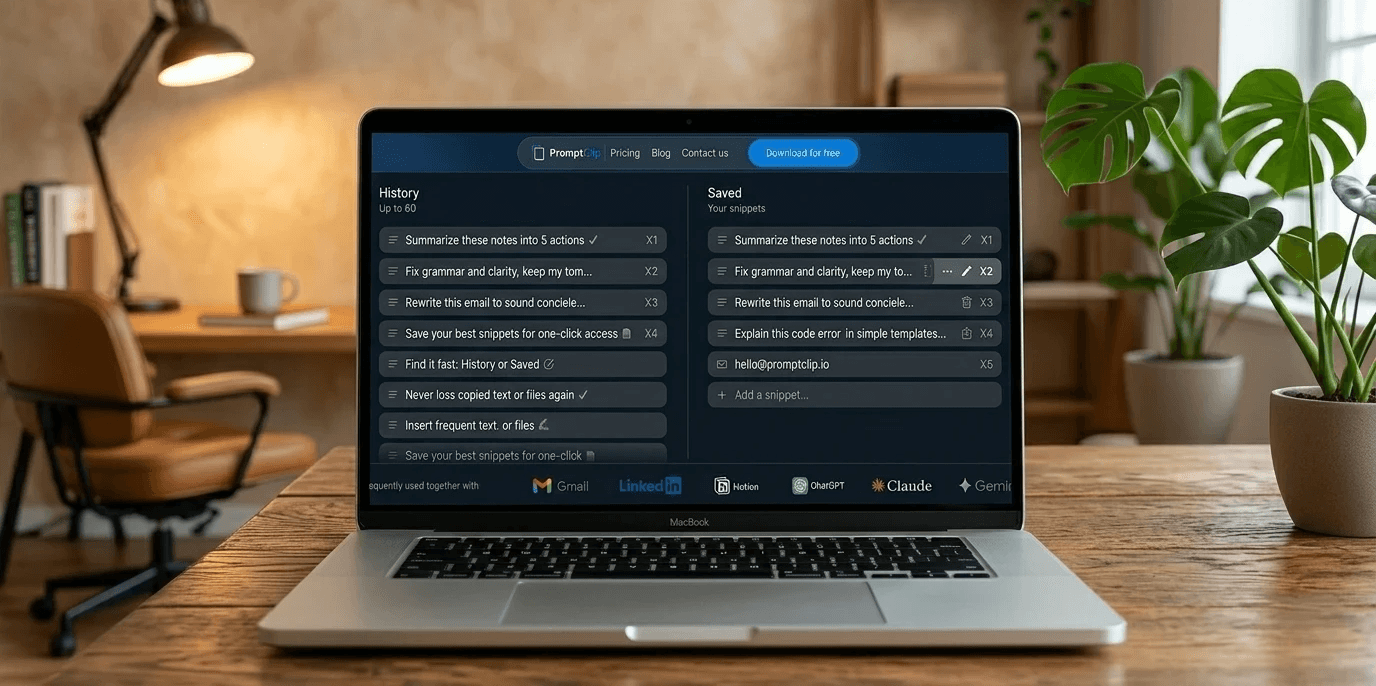
If you work on a Mac all day, the clipboard is either quietly helping you or quietly slowing you down. Most people never think about it — until they lose something important they copied, or realize they have retyped the same prompt fifty times this week.
This guide covers everything about clipboard management on Mac — from the basics to advanced workflows — and links to deeper resources on every topic.
What Is the Mac Clipboard and Why It Is Not Enough
The default Mac clipboard holds exactly one item. Copy something new and the previous item is gone forever. No history, no recovery, no organization.
For casual use this is fine. For professionals — founders, marketers, recruiters, BD managers, developers, AI power users — it becomes a daily source of friction that compounds into hours of lost time every week.
→ Where Is the Clipboard on Mac - and How to Get More From It
→ Why Your Clipboard Is the Most Underrated Tool in Your Workflow
Mac Clipboard History: How to Get It
Starting with macOS 26 Tahoe, Apple added basic clipboard history via Spotlight — press ⌘Space then ⌘4. It works for casual use but has real limitations: no saved snippets, no per-item shortcuts, limited history depth.
For anyone doing serious work, a dedicated clipboard manager gives you everything the native option lacks — full searchable history, permanent saved snippets, and keyboard shortcuts for instant access.
→ Mac Clipboard History: Complete Guide for 2026
How to Copy and Paste on Mac: Every Method
Most Mac users know ⌘C and ⌘V. Few know about paste without formatting (⌘⇧⌥V), moving files in Finder with ⌘⌥V, or Universal Clipboard between iPhone and Mac.
→ How to Copy and Paste on Mac: Shortcuts, Tips and Clipboard History
How to Clear Clipboard on Mac
Three methods — from copying a single space (fastest, 3 seconds) to Terminal command (most thorough) to restarting your Mac. Plus how to clear history in PromptClip while keeping your saved snippets safe.
→ How to Clear Clipboard on Mac - 3 Easiest Ways
The Best Clipboard Manager for Mac in 2026
Not all clipboard managers are equal. The key distinction most comparison articles miss: clipboard history and saved snippets are two different jobs. Most tools do one. The best tools do both.
The main options in 2026: PromptClip, Maccy, Paste, Raycast, Alfred. Each serves a different type of user.
→ The Best Clipboard Manager for Mac in 2026: An Honest Comparison
PromptClip: Clipboard History and Saved Snippets in One Place
PromptClip is a keyboard-first clipboard manager for Mac built specifically for professionals who copy, tweak, and paste all day.
It does two things: keeps your full copy history automatically, and lets you save your best text permanently — prompts, replies, templates, outreach — with ⌘1-⌘8 shortcuts for instant access from any app.
100% local storage. No cloud. No subscription. One-time $9.99.
Why it exists: → Why I Built PromptClip: My Personal Story
How to use it: → How I Use PromptClip Every Day: A Real Workflow Guide
How it was built: → How We Built PromptClip: From Personal Frustration to App
Looking for a Maccy Alternative?
Maccy is a good free tool for basic clipboard history. If you need saved snippets, per-item keyboard shortcuts, and a tool built for AI workflows — here are the best alternatives.
→ The Best Maccy Alternative for Mac in 2026
Clipboard Management for AI Power Users
AI workflows changed what clipboard management needs to do. Your best prompts are assets — refined over time, worth keeping permanently. Losing them because you copied something else is a real productivity cost.
→ The AI Power User's Guide to Clipboard Management
→ How to Save AI Prompts on Mac
→ How to Use ChatGPT More Efficiently on Mac
→ How to Use AI More Efficiently on Mac
The Best ChatGPT and AI Prompts to Save Right Now
The professionals who get the most out of AI have a library of tested prompts ready to paste instantly. Here are the best ones across different use cases — all ready to save in PromptClip.
→ 15 Best ChatGPT Prompts for Work That Actually Get Used
→ 4 Prompt Frameworks That Make AI Actually Useful at Work
→ Save 20% of Your AI Work Time With These 7 Ready-to-Use Prompts
→ 5 ChatGPT Prompts That Make You Better at Your Job
→ 5 AI Prompts to Quickly Understand Anything at Work
→ How to Research Any Topic for Work in 10 Minutes With ChatGPT or Claude
→ The One Prompt That Builds You a Complete Learning Plan for Any Skill
Mac Productivity: The Bigger Picture
Clipboard management is one piece of a faster Mac workflow. These articles cover the broader context.
→ How to Work Faster with AI: The Setup Most People Skip
→ The Invisible Tool That's Been Slowing You Down Every Day
→ Best MacBook Neo Productivity Apps in 2026: Why PromptClip Comes First
Start Here
If you landed on this page and want the fastest path to a better clipboard workflow on Mac:
Read Mac Clipboard History: Complete Guide to understand what is possible
Read The Best Clipboard Manager for Mac in 2026 to find the right tool
Try PromptClip free for 14 days — no card needed